Mastering cloud native application delivery requires proving your hands-on proficiency in real-world environments. The Certified Kubernetes Application Developer (CKAD) exam offered by the Cloud Native Computing Foundation (CNCF) and Linux Foundation remains the premier benchmark for developers and DevOps engineers building applications on Kubernetes.
If you have been following my certification guides, such as my CKA 2025 exam resources and tips, you know that hands-on speed, familiar documentation lookup skills, and environment preparation are the core factors that separate a passing score from a retake. Over recent years, the CKAD has undergone several important shifts in format, architecture, and scope.
Whether you are aiming to refine your developer skill set or actively pursuing the elite CNCF Kubestronaut title, understanding how the exam has evolved into its current 2026 state will keep your preparation targeted and efficient.
The Historical Evolution: 2021 to 2026
To appreciate the modern 2026 exam format, it helps to understand how the test transformed over time.
In September 2021, the CKAD experienced a major curriculum overhaul. Prior to this shift, the exam focused primarily on basic pod design, primitives, and simple configurations. The 2021 update introduced advanced microservice design patterns, Custom Resource Definitions (CRDs), Helm chart management, blue/green and canary deployment strategies, container image optimization, and network policies.
By mid-2024, the Linux Foundation introduced a major architectural change in how candidate environments are accessed. The traditional workflow of switching context across clusters using standard command line tools like kubectl config use-context was largely phased out. Instead, the testing engine shifted to direct SSH connections into dedicated test nodes per question, using unique connection strings such as ssh ckadXXXX. This shift made heavy reliance on custom static bash aliases across sessions far less effective, prioritizing native efficiency and core syntax mastery.
Between 2024 and 2026, administrative policies also adjusted. Certifications earned after April 1, 2024, carry a 2-year validity window rather than the historical 3-year term. The base registration fee stands at $445 USD, which includes two exam attempts and complimentary access to the Killer.sh simulator environment.
The 2026 CKAD Exam Structure and Domain Blueprint
The current CKAD exam remains a 2-hour, performance-based practical exam administered entirely on the command line. The passing threshold is set at 66%.
Understanding the domain weightings allows you to allocate your study time effectively:
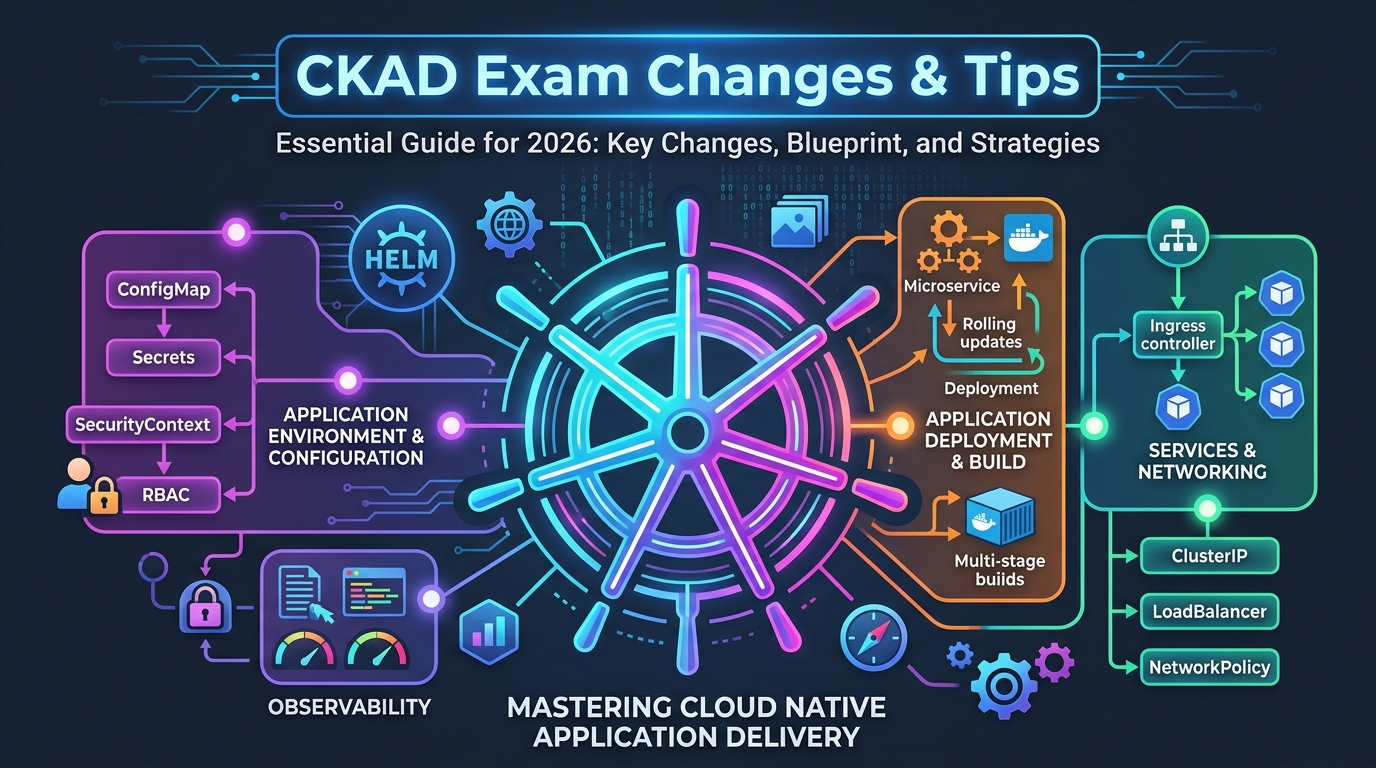
Application Environment, Configuration and Security (25%) This represents the highest-weighted domain on the exam. Candidates must demonstrate fluency in managing ConfigMaps, Secrets, SecurityContext settings, ServiceAccounts, Role-Based Access Control (RBAC), Pod Security Standards, and NetworkPolicies to restrict ingress and egress traffic.
Application Design and Build (20%) This domain tests container fundamentals, multi-stage Docker/OCI image builds, container optimization, and multi-container pod design patterns such as sidecar, init, and ambassador containers.
Application Deployment (20%) Focuses on declarative workload management using Deployments, StatefulSets, DaemonSets, replica scaling, rolling updates, rollbacks, and blue/green or canary release patterns.
Services and Networking (20%) Covers exposing workloads internally and externally via ClusterIP, NodePort, and LoadBalancer services, configuring Ingress routing controllers, and handling internal Kubernetes DNS resolution.
Application Observability and Maintenance (15%) Includes configuring readiness, liveness, and startup probes, collecting container logs using standard CLI tooling, monitoring pod resource utilization with metrics tools, and debugging failing application workloads.
Understanding Prerequisites and the Kubestronaut Program
A common question among certification candidates revolves around prerequisites across the CNCF track. While the Certified Kubernetes Security Specialist (CKS) explicitly requires an active, non-expired Certified Kubernetes Administrator (CKA) credential prior to scheduling, the CKAD does not enforce formal prerequisites. Candidates can sit for the CKAD directly regardless of whether they hold prior certifications.
However, completing the CKA certification is recommended if you plan to qualify for the recognized CNCF Kubestronaut Program, as it will make approaching the CKAD significantly easier. Because the CKA sets the foundation for the remaining required exams, the CKAD alongside CKS, KCNA, and KCSA. Maintaining non-expired status across all five certifications is what ensures your active standing within the global Kubestronaut registry.
Essential Learning Resources for 2026
Building practical muscle memory is essential for passing the CKAD. The following core resources provide comprehensive preparation:
- Kubernetes the Hard Way – Created by Kelsey Hightower, building a cluster manually from scratch remains a foundational learning exercise. While the CKAD focuses on application-level concepts rather than control plane setup, walking through manual cluster bootstrapping deepens your understanding of how networking, authentication, and core API components interact under the hood.
- Official Linux Foundation Courseware – The official Linux Foundation Training catalog now features browser-based interactive laboratory environments directly alongside course modules. Purchasing certification and training bundles provides an end-to-end, structured learning environment directly aligned with exam objectives.
- Killer Shell Exam Simulator – Every CNCF exam registration includes two free sessions on the Killer Shell Simulator. Killer.sh provides scenario-based questions that are intentionally structured to be slightly more demanding than the actual test. Practicing on this interface gives candidates realistic exposure to the timed environment, multi-node terminal mechanics, and documentation navigation constraints. You can add the vouchers to your killer shell account in the exam preparation section of the learning portal, right after exam scheduling.
- KodeKloud CKAD Learning Path – The modular KodeKloud CKAD Learning Path offers interactive, hands-on labs for every topic covered in the exam blueprint. The path includes 10 mock exams mapped directly to official competence groups, complemented by over 100 practical scenarios in KodeKloud Engineer to build execution speed.
- KodeKloud 100 Days of Devops – A completely free set of daily interactively lab challenges to reinforce your DevOps skills. I’ve found these challenges force you to enhance adjutant skills and understanding, instead of solely being focused on the exam or Kubernetes. The platform will allow you to do 1 lab challenge per-day with a free account, or you can utilize the more refined KodeKloud Engineer platform if you have a Pro or AI subscription, allowing you to target specific topics.
Practical Tips and Tricks for Exam Day
- Prepare for Non-Stop Execution – The CKAD requires constant command-line interaction for 2 full hours. Building familiarity with standard imperative commands using
kubectldramatically speeds up manifest generation. - Utilize the UI Tutorial Window – When the exam session launches, take full advantage of the initial environment tutorial. The official exam timer remains paused during this walkthrough, giving you time to adjust to the interface layout without losing precious testing minutes.
- Prioritize Questions Based on Weight and Requirements – Before diving into execution, spend the first few minutes skim-reading the requirements, steps, and weight percentage of each question. Address high-weight, straightforward tasks first to build momentum.
- Check Connection Strings and Contexts – Each task provides specific connection strings or cluster context switches at the top of the prompt. Always execute the provided SSH or context string before performing work to ensure your resources are created in the intended environment. Always exit back to your base session when completing tasks on remote nodes.
- Single-Click Copying for Names and Paths – Avoid manual typing errors by utilizing the single-click text highlight feature built into the PSI Bridge interface. Clicking highlighted resource names, namespaces, and file paths directly copies them to your clipboard.
- Focus on Official Documentation Search Strategies – During the exam, access is restricted to official documentation domains like Kubernetes Documentation. Practice navigating directly to code snippets and YAML templates for ConfigMaps, Deployments, and NetworkPolicies so you can quickly copy, edit, and apply them using dry-run flags.
- Master Imperative YAML Generation with kubectl – Avoid writing YAML manifests from scratch. Use imperative commands with dry-run outputs to generate baseline files rapidly like:
kubectl create deployment web --image=nginx --replicas=3 --dry-run=client -o yaml > deploy.yaml. - Pay Attention to Task Warnings – Question prompts often contain subtle warning notes regarding mandatory naming conventions or restrictions. Following these instructions ensures automated grading scripts evaluate your work accurately.
- Flag Complex Tasks and Move On – If a question takes longer than its assigned weight justifies, flag the item in the exam UI and proceed to the next prompt. You can return to flagged tasks during your final review window.
- Keep the Passing Threshold in Perspective – Remember that achieving a 66% score earns the certification. You do not need a perfect score to pass. Stay calm, manage your time methodically, and utilize your free retake if necessary to refine your strategy.
Final Thoughts
The Certified Kubernetes Application Developer certification reflects modern cloud native development practices. By understanding the structural changes introduced in recent years, mastering the 2026 domain objectives, and leveraging practical hands-on labs, you can approach the exam with confidence and advance your journey toward becoming a Kubestronaut.